Author: abram

  • First HF Transmission on 160m…

    AM transmission on 160m from K2NXF from abram on Vimeo.

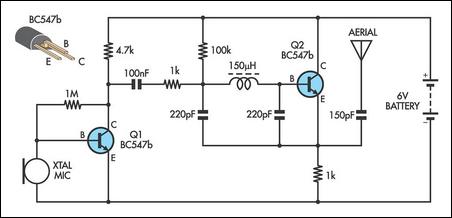
    Here’s a little video of my first AM transmission on HF. The modulation you ask? Horrible! But what can you ask for when using an almost dead 9V battery, two BC550Cs from an old Electro-Harmonix Double Muff, and an inductor from a busted SW radio? Exactly. Who received this transmission? Only me. Nonetheless, it was a fun experiment and great way to use some parts laying around.

    The original schematic:

  • External audio with USB 1.1 and Gentoo Linux PPC…

    In the event that anyone decides to use a junked iBook in a Linux environment, I’m hoping that this article might save someone a lot of experimentation.

    The Problem:
    Started having trouble getting packet information through Soundmodem after a system upgrade to Kernel version 2.6.36-gentoo-r8. I began to investigate the sound card using Audacity then arecord/aplay to see if audio was even getting through ALSA into the external USB audio interface (snd-usb-audio). The audio was almost unintelligible through the distortion and crackling. After some playing around, I realized that audio recorded through the internal card (snd-powermac) was fine but USB audio was crap. The iBook conveniently has no TRS inputs. Therefore, I’m required to use USB.

    The Solution:
    I opted to upgrade the kernel from scratch. I disabled the EHCI (USB 2.0) support in the kernel since the iBook has no USB 2.0 support. Secondly (and this is where I think the problem really stemmed from), I enabled both the Big Endian/Little Endian option for the OHCI (USB 1.1) driver after reading about Endianness.

    My /etc/modprobe.d/alsa.conf file looks something like this:

    alias /dev/mixer snd-mixer-oss
    alias /dev/dsp snd-pcm-oss
    alias /dev/midi snd-seq-oss
    alias char-major-116 snd
    alias char-major-14 soundcore
    
    options snd cards_limit=1
    
    # ALSA portion
    alias snd-card-0 snd-usb-audio
    alias sound-slot-0 snd-card-0
    
    # card #1
    options snd-usb-audio nrpacks=1 index=0
    alias sound-service-0-0 snd-mixer-oss
    alias sound-service-0-1 snd-seq-oss
    alias sound-service-0-3 snd-pcm-oss
    alias sound-service-0-8 snd-seq-oss
    alias sound-service-0-12 snd-pcm-oss
    alias /dev/dsp snd-usb-oss
    
  • Gentoo: Swappiness and CFLAGS for PPCs

    Old iBooks are still around and most you can find for very cheap if not free as it was in my case. Ubuntu Linux runs quite well, but I must admit that my love of lengthy compiling and customization leave Gentoo as my primary mainstay.

    make.conf for iBook PowerPC 750/745/755 (G3):

    CHOST="powerpc-unknown-linux-gnu"
    CFLAGS="-mcpu=750 -Os -pipe"
    CXXFLAGS="${CFLAGS}"
    

    sysctl.conf modification:

    vm.swappiness = 20
    

    For more information, check out these two links:
    http://forums.gentoo.org/viewtopic.php?t=175419
    http://en.gentoo-wiki.com/wiki/Safe_Cflags/PowerPC

  • Call sign appears on ariss.net…


    Coordinates have yet to appear in the list, but I at least know that I got through via the ISS and APRS.

  • APRS: Data received via ISS

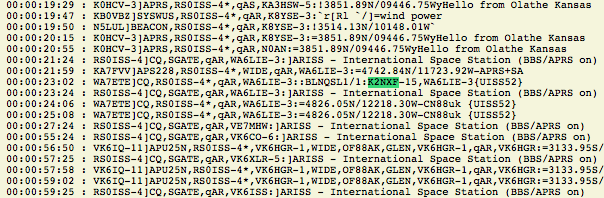
    A clear pass over Portland, OR at 4:02PM on 5/2/2011. Here’s the data from the TNC.

     0:TX -> K2NXF>APX200,WIDE2-2::RS0ISS-4 :Hi all via ISS from K2NXF!{0C}
     0:TNC-> KZ6O>APEG02,RS0ISS-4*:=3707.14N/12139.45W&73 Logan Morgan Hill CA
     0:TNC-> RS0ISS-4>CQ,SGATE:>ARISS - International Space Station (BBS/APRS on)
     0:TX -> K2NXF>APX200,WIDE2-2::RS0ISS-4 :Hi all via ISS from CN85{0D}
     0:TX -> K2NXF>APX200,WIDE2-2::RS0ISS-4 :Hi all via ISS from CN85{0D}
     0:TNC-> KI6JJW-2>APRS,RS0ISS-4*:=3758.58N/12218.30W`PHG2110 derAngst
     0:TNC-> KE7MK-6>RIC,RS0ISS-4*:=4447.42N\10656.67WS...Hello from Wyoming.  PSE QSL Sheridan.
     0:TNC-> KE7MK-6>RIC,RS0ISS-4*:=4447.42N\10656.67WS...Hello from Wyoming.  PSE QSL Sheridan.
     0:TNC-> KE7MK-6>RIC,RS0ISS-4*:=4447.42N\10656.67WS...Hello from Wyoming.  PSE QSL Sheridan.
     0:TNC-> KE7MK-6>RIC,RS0ISS-4*:=4447.42N\10656.67WS...Hello from Wyoming.  PSE QSL Sheridan.
     0:TX -> K2NXF>APX200,WIDE2-2::RS0ISS-4 :Hi KE7MK From Portland, Oregon!{0E}
     0:TNC-> KB0VBZ>SYSWUS,RS0ISS-4*:`r[Rl  `/>=wind power
     0:TX -> K2NXF>APX200,WIDE2-2::RS0ISS-4 :CQ CQ FROM K2NXF!{0F}
    
  • Experiments with the ISS

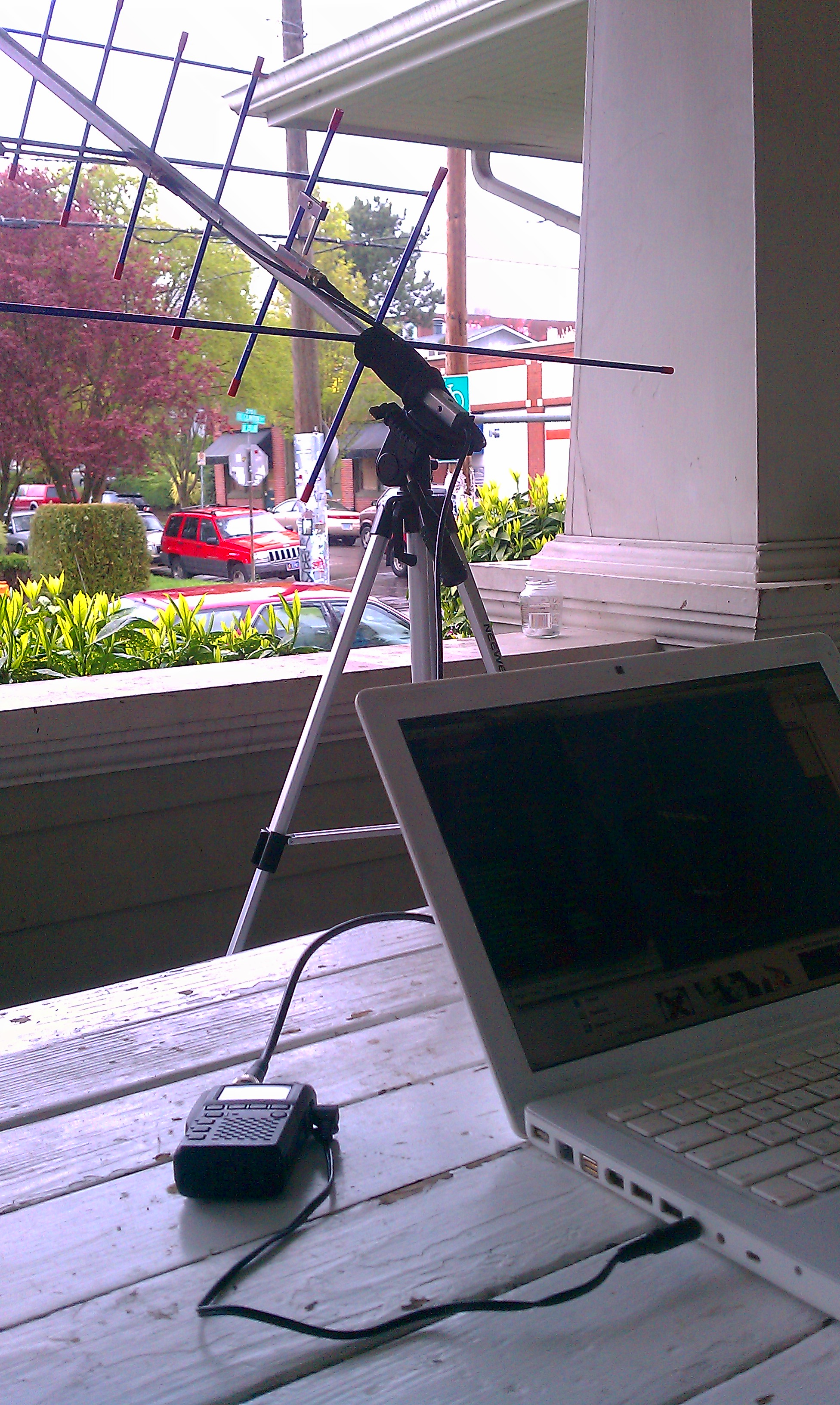
    I’ve attempted for months to catch a signal from the ISS as it quickly flies over head. Being in such a low-earth orbit, the longest pass you can catch is about ten minutes long. Yesterday, I was able to hear a bit of the APRS packets coming off the transmitter. Mac platforms, unfortunately, have little to offer in the way of AX.25 as of yet. Though I wasn’t quite setup, I do have an old G3 iBook (liBook?) that I’ve installed Gentoo on and configured AX.25 to work with an external audio interface. More to come.

    Linux AX.25 HOWTO via faqs.org

  • PHP: Geocoding with cURL and JSON…

    wanting to balance the work load for a site between server-side and client-side tasks, i abstracted this very simple geocoding class with Google Maps.

    /*
    ##############################################################
    Version: 1.0
    Author: Abram Morphew
    Created: 2011-02-10
    
    File: class.Geocoder.php
    Desc: PHP class for geocoding with Google Geocoder API. No API
    key is necessary to use this class.
    
    ##############################################################
    */
    if(!defined('APPNAME')) { die('Hacking attempt'); }
    
    class Geocoder {
        public $status = null;
        public $address = null;
        public $response = array();
        public $coordinates = array();
    
        function __construct() { }
    
        function coordinates($address=null,$city=null,$state=null,$postcode=null,$country=null) {
            $query = urlencode($address.",".$city.",".$state.",".$postcode.",".$country);
            $url = "http://maps.google.com/maps/api/geocode/json?address=".$query."&sensor=false"; 
            $ch = curl_init();
            curl_setopt($ch, CURLOPT_URL, $url);
            curl_setopt($ch, CURLOPT_HEADER, false);
            curl_setopt($ch, CURLOPT_RETURNTRANSFER, true);
            $response = curl_exec($ch);
            curl_close($ch);
    
            // set public vars and return... 
            $this->response = json_decode($response,true);
            $this->status = $this->response['status'];
            $this->address = $this->response['results'][0]['formatted_address'];
            $this->coordinates = $this->response['results'][0]['geometry']['location'];
            return $this->coordinates;
        }
    
    }

  • experiments with SSTV…

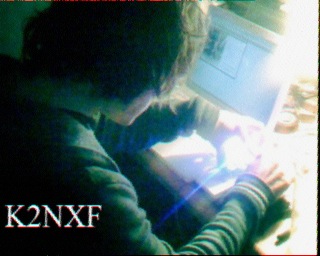
    The other day I was able to send transmit and receive an SSTV transmission across the room using two Yaesu HTs and a trial copy of MultiMode from Black Cat Systems. I was rather surprised by the quality of the analog television signal sent using an narrow-band FM carrier.

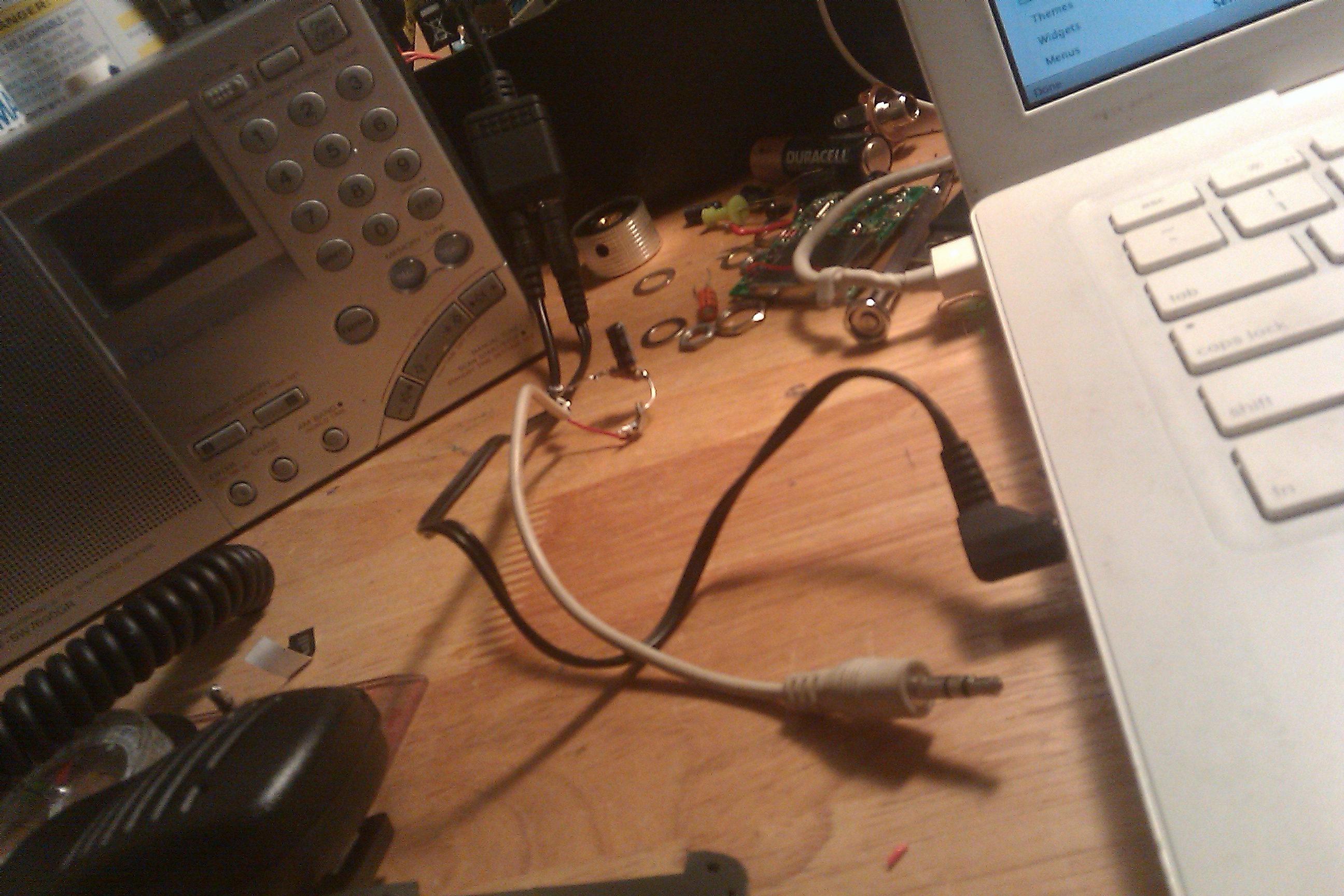
    I was required to construct a cable in order to transmit using the FT-60R. I used the CT-44 adapter which converts the three-sleeve 3.5mm TRS connector to a separate audio and mic output (a 3.5 and 2.5mm TRS plug). With an additional three-sleeve plug, it’s feasible to construct a cable to interface with the sound card minus the CT-44 adapter. Here’s a snippet of the Yaesu TNC schematic from the FT-60R manual.

    The white plug is for the output from the sound card and the black cable is a simple stereo cable.

    And for the picture itself…